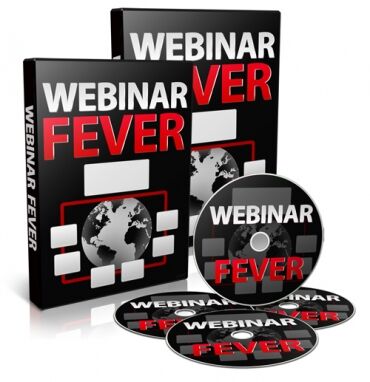
Webinar Fever
Price: 14.90
"Webinar Fever" turns you into a webinar ninja in your local market! Discover the secrets unveiled here to capture a significant share of the business in your market.
There are 16 Videos in the "Webinar Fever" Package:
Video 1 - View from 30,000 Feet
- Get a general overview of webinars, how to use them, and the evolving technology behind them.
Video 2 - The Meeting Webinar
- Enhance production in your business for increased profits.
- Enable everyone in your organization to participate in brainstorming sessions.
- Achieve substantial cost savings while improving meeting quality and attendance compared to traditional meetings.
- Engage out-of-town clients with private, virtual meeting rooms.
Video 3 - The Training Webinar
- Master the "Rule of 3s" for profitable sales presentations.
- Expand your reach and boost online sales.
Video 5 - Set Up GoTo Webinar Part 1
- Learn how to easily set up the most popular live webinar platform.
Video 6 - Set Up GoTo Webinar Part 2
- Review your setup and configure email follow-up messages.
Video 7 - Live Webinar Planning Checklist
- Discover major features of live webinar platforms.
Video 8 - Choose a Live Webinar Provider
- Get an overview of live webinar providers.
Video 9 - Webex - The Gold Standard in Webinars
- Learn about Webex's new webinar service.
Video 10 - The Evergreen Webinar
- Set up an automated webinar in Instant Customer.
- Connect autoresponders for alerts via email, SMS, and direct-to-voicemail.
Video 11 - The Evergreen Webinar Checklist
- Explore features of evergreen webinars that simulate live webinars.
Video 12 - Presentation Tools
- Get an overview of tools to create effective webinar presentations.
Video 13 - Mind Maps Part 1
- Learn about mind mapping for organizing thoughts and visual presentations.
Video 14 - Mind Maps Part 2
- Discover a fun and colorful approach to mind mapping.
Video 15 - PowerPoint Presentations
- Explore various options for working with text, graphics, and animation in PowerPoint.
Video 16 - Creating Your Own Whiteboard
- Learn how to use resources you already have to build a webinar whiteboard.
Terms
- [YES] Can be sold
- [YES] Can be used for personal use
- [YES] Can be packaged with other products
- [YES] Can modify/change the sales letter
- [YES] Can modify/change the main product
- [YES] Can modify/change the graphics and ecover
- [YES] Can be added into paid membership websites
- [YES] Can put your name on the sales letter
- [YES] Can be offered as a bonus
- [YES] Can be used to build a list
- [YES] Can print/publish offline
- [YES] Can convey and sell Personal Use Rights
- [YES] Can convey and sell Resale Rights
- [YES] Can convey and sell Master Resale Rights
- [YES] Can convey and sell Private Label Rights
- [YES] Can be translated to other languages
- [YES] Can be added to shops/memberhips containing more than 500 products
- [NO] Can be given away for free
- [NO] Can be added to free membership websites
- /
-
- WebinarFever
- Docs
- Evergreen Webinar Planning Checklist (Word 2003).doc
- Evergreen Webinar Planning Checklist (Word 2007).docx
- Evergreen Webinar Planning Checklist.pdf
- Live Webinar Planning Checklist (Word 2003).doc
- Live Webinar Planning Checklist (Word 2007).docx
- Live Webinar Planning Checklist.pdf
- Videos
- Video 1 - View from Thirty Thousand Feet.mp4
- Video 2 - the Meeting Webinar.mp4
- Video 3 - The Training Webinar.mp4
- Video 4 - The Sales Webinar.mp4
- Video 5 - Set Up LIVE Webinar.mp4
- Video 6 - Set Up LIVE Webinar.mp4
- Video 7 - Live Webinar Checklist.mp4
- Video 8 - Choosing a Webinar Provider.mp4
- Video 9 - Webex the Gold Standard in LIVE Webinars.mp4
- Video 10 - The Evergreen Webinar.mp4
- Video 11 Evergreen Webinar Checklist.mp4
- Video 12 - Presentation Tools.mp4
- Video 13 - Mind Map Part One.mp4
- Video 14 - Mind Map Part Two.mp4
- Video 15 - PowerPoint Presentation.mp4
- Video 16 - Create Your.mp4